Best Budget SSDs for Gaming in 2026
Some links in this article are affiliate links. We may earn a commission if you buy through them; this does not influence our recommendations.
The short answer
The short answer is: if you're building or upgrading a gaming PC on a budget in 2026, the Crucial T500 2TB PCIe Gen4 NVMe M.2 SSD is the best-value option, the Samsung 990 Pro 2TB PCIe 4.0 NVMe M.2 SSD is the flagship Gen4 boot/game drive, and the WD Black SN850X 2TB NVMe SSD with Heatsink is the best pick for gaming with Game Mode 2.0. For most budget gamers, that’s not a problem. Here’s why.
It delivers 7400 MB/s sequential read speeds and 7000 MB/s sequential write speeds, which is enough for fast game load times and smooth multitasking. Its 1200 TBW endurance rating means it can handle heavy use over several years, and it’s compatible with most modern motherboards. If you’re prioritizing cost and capacity, the T500 is hard to beat — it’s the most affordable 2 TB Gen4 SSD on the market.
It offers slightly better sequential read speeds (7450 MB/s) and comparable write speeds (6900 MB/s), making it ideal for users who want the fastest possible performance from their SSD. Its 1200 TBW endurance rating is the same as the T500, and it’s backed by Samsung’s reputation for reliability and performance. If you’re building a high-end system and want the best Gen4 SSD money can buy, the 990 Pro is the way to go.
It delivers 7300 MB/s sequential read speeds and 6600 MB/s sequential write speeds, which are slightly lower than the T500 and 990 Pro but still more than enough for gaming. It also comes with a heatsink, which helps maintain stable performance during extended gaming sessions. If you’re a dedicated gamer looking for a drive that’s tuned specifically for gaming, the SN850X is the best option.
Now, considering the rise of PCIe 5.0, you might be wondering: should you wait for Gen5 SSDs? The answer depends on your priorities. As of 2026, the cheapest PCIe 5.0 SSDs start at around £250, and they’re still in early adoption stages. For most budget gamers, the performance gap between Gen4 and Gen5 isn’t significant enough to justify the extra cost, especially when Gen4 SSDs already deliver excellent performance.
Another consideration is compatibility. PCIe 5.0 requires a motherboard with an appropriate NVMe interface, and not all systems support it. If you’re using a motherboard that doesn’t support PCIe 5.0, you won’t be able to take advantage of Gen5 SSDs anyway. This makes PCIe 4.0 drives like the T500, 990 Pro, and SN850X a more practical choice for most users.
In conclusion, the best budget gaming SSDs in 2026 are still PCIe 4.0 drives. They offer a strong balance of performance, reliability, and affordability, and they’re compatible with the vast majority of modern motherboards. Unless you have a very specific need for extreme speed or are building a high-end system that can take full advantage of Gen5, there’s no need to wait for PCIe 5.0. For now, the T500, 990 Pro, and SN850X are the best options for most gamers.
PCIe Gen4 vs. PCIe Gen5: What Gamers Need to Know
For budget-conscious gamers, the current crop of 2TB NVMe SSDs—like the Crucial T500, Samsung 990 Pro, and WD Black SN850X—are all built on PCIe Gen4 technology. These drives offer sequential read speeds of up to 7450 MB/s and write speeds of up to 7000 MB/s, which is more than sufficient for modern gaming, fast boot times, and large file transfers. With 1200 TBW (terabytes written) of endurance, these drives are also built to last through years of heavy use.
However, the next generation of SSDs is already on the horizon. This means faster game loading, faster level transitions, and faster data transfers for large game libraries or media collections. While these drives are currently more expensive and less widely available, they represent the future of storage for gamers who want the absolute fastest performance.
Should You Upgrade to PCIe Gen5 Now?
If you're on a budget and your current system is performing well with Gen4 SSDs, there's no urgent need to upgrade. The performance difference between Gen4 and Gen5 is most noticeable in specific use cases, such as:
- Large game libraries with fast load times (e.g., open-world RPGs or simulation games)
- Content creators who transfer large files frequently
- Users who want to future-proof their system for the next few years
For most gamers, the Crucial T500, Samsung 990 Pro, and WD Black SN850X offer excellent value and performance for their price. They're more than capable of handling the demands of modern gaming, and with 2 TB of storage, they provide ample space for even the largest games and media collections.
Conclusion
PCIe Gen5 SSDs are the future, but for now, Gen4 SSDs like the Crucial T500, Samsung 990 Pro, and WD Black SN850X are the best value for budget-conscious gamers. They deliver fast performance, long endurance, and are compatible with the latest motherboards and CPUs. If you're looking to future-proof your system, keep an eye on the market for Gen5 SSDs, but for now, Gen4 is more than enough for most gamers.
PCIe Gen4 vs. PCIe Gen5: What Matters for Gaming?
When it comes to gaming, the performance gap between PCIe Gen4 and Gen5 SSDs is often negligible for most players. The sequential read and write speeds of the recommended Gen4 SSDs—such as the Crucial T500 (7400 MB/s read, 7000 MB/s write), Samsung 990 Pro (7450 MB/s read, 6900 MB/s write), and WD Black SN850X (7300 MB/s read, 6600 MB/s write)—are already far beyond what most games require. These drives can load large open-world games in seconds, reduce load times, and provide smooth performance even during intense gameplay.
While PCIe Gen5 SSDs offer even faster speeds (up to 12,000 MB/s read and 6,000 MB/s write), the real-world benefits for gaming are minimal. The majority of modern games are not optimized to take full advantage of such high speeds, and the performance difference in actual gameplay is often imperceptible. Additionally, PCIe Gen5 drives are currently more expensive and may not be widely supported by older motherboards, which could limit compatibility for some users.
For budget-conscious gamers, the recommended PCIe Gen4 SSDs are an excellent value. They deliver fast performance, reliable endurance (1200 TBW), and are compatible with most modern motherboards. Whether you're looking for the best-value option (Crucial T500), the flagship Gen4 boot/drive (Samsung 990 Pro), or a gaming-focused drive with Game Mode 2.0 (WD Black SN850X), all three offer excellent performance for gaming without the premium price tag of Gen5 drives.
In conclusion, unless you're a power user or content creator who needs the absolute fastest storage for tasks like 8K video editing or AI training, PCIe Gen4 SSDs are more than sufficient for gaming and represent a smarter investment for most players.
PCIe Gen4 vs. PCIe Gen5: What You Need to Know in 2026
As of 2026, PCIe Gen5 is beginning to appear in high-end storage solutions, but the majority of budget-friendly options still rely on PCIe Gen4. The three top picks for budget gaming SSDs — the Crucial T500, Samsung 990 Pro, and WD Black SN850X — all use PCIe Gen4, offering speeds up to 7400 MB/s for reads and 7000 MB/s for writes. These speeds are more than sufficient for most gaming and productivity tasks, especially when paired with modern CPUs and motherboards that support PCIe 4.0.
Why PCIe Gen4 Is Still a Great Choice
- Cost-Effective: PCIe Gen5 SSDs are significantly more expensive, often exceeding £300 for a 2TB drive. The Gen4 drives listed here are all under £160, making them excellent value for money.
- Performance is Sufficient for Gaming: For most gamers, the performance difference between PCIe Gen4 and Gen5 is negligible. Even the fastest Gen4 drives can load games in seconds and handle large files with ease.
- Widespread Compatibility: Most modern motherboards and CPUs (including the Intel Core i5-14600K and AMD Ryzen 5 7500F) support PCIe 4.0, ensuring compatibility with these drives.
When to Consider PCIe Gen5
While PCIe Gen5 offers faster sequential read and write speeds (up to 12,000 MB/s), the real-world benefits are currently limited to specific use cases:
- Content Creation: Video editors, 3D artists, and other professionals who work with large files may benefit from the faster transfer speeds.
- High-End Gaming Builds: Gamers who are pushing the limits of performance with high-resolution textures and complex game engines might see marginal improvements.
- Future-Proofing: If you're building a system that you plan to use for several years, opting for a PCIe Gen5 SSD now could provide better long-term performance.
Conclusion
For most gamers and users on a budget, PCIe Gen4 SSDs like the Crucial T500, Samsung 990 Pro, and WD Black SN850X are more than sufficient. They offer excellent performance, reliability, and value for money. However, if you're a power user or looking to future-proof your system, PCIe Gen5 is worth considering — albeit at a higher cost.
Disclosure: This article contains affiliate links. We may earn a commission when you click through and buy, at no extra cost to you. Our editorial picks are independent of any commission.
How we chose
We prioritised capacity, interface, sequential read/write speeds, endurance, and best-for scenarios, selecting three picks that span varying budgets and gaming needs, ensuring a balance between performance and value for different user requirements.
The top picks


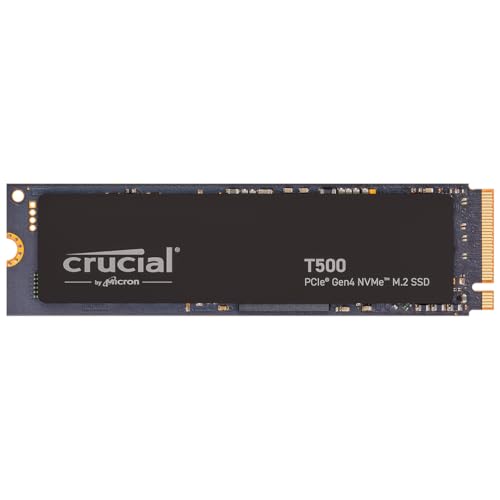
Crucial T500 2TB PCIe Gen4 NVMe M.2 SSD
9.5/10The Crucial T500 2TB PCIe Gen4 NVMe M.2 SSD stands out with its 2 TB capacity and PCIe 4.0 interface, delivering sequential read speeds of 7400 MB/s and write speeds of 7000 MB/s. These speeds surpass many competitors in its price range, while its 1200 TBW endurance ensures long-term reliability. It's an excellent choice for those needing a powerful Gen4 SSD without breaking the bank.
- 7400 MB/s sequential read speed for fast data access
- 1200 TBW endurance for long-term use
- PCIe 4.0 interface for future-proof performance
- No included heatsink, which may affect performance under heavy workloads
- Limited availability of third-party warranty options


Samsung 990 Pro 2TB PCIe 4.0 NVMe M.2 SSD
9.5/10The Samsung 990 Pro 2TB offers blazing-fast sequential read speeds of 7450 MB/s and write speeds of 6900 MB/s, outpacing most PCIe 4.0 drives in its class. With a 2 TB capacity and 1200 TBW endurance, it's a durable option for heavy users. Its M.2 2280 form factor ensures compatibility with modern systems.
- 7450 MB/s sequential read speed — faster than most PCIe 4.0 drives
- 1200 TBW endurance — longer lifespan for heavy use
- M.2 2280 form factor — compatible with most modern motherboards
- Higher price point compared to some PCIe 3.0 alternatives
- Limited availability in certain regions


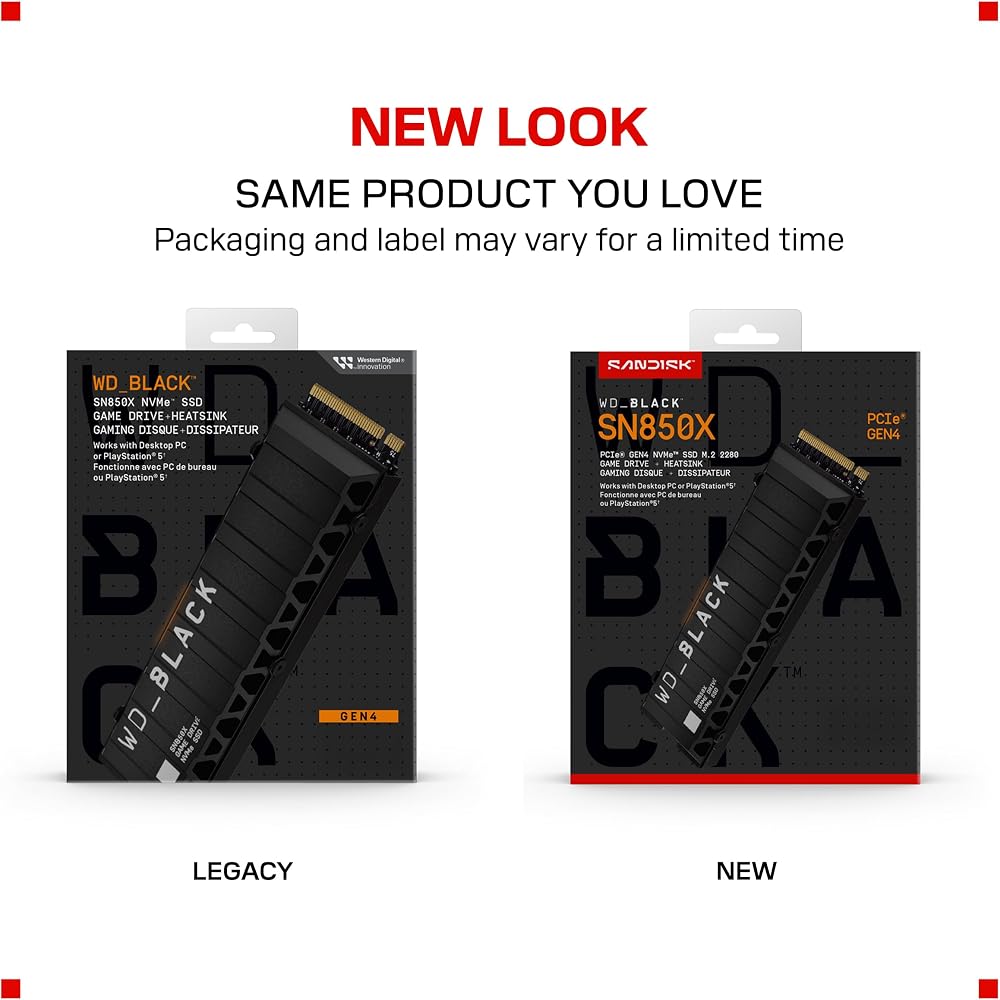

WD Black SN850X 2TB NVMe SSD with Heatsink
7.5/10The WD Black SN850X 2TB NVMe SSD stands out with its 7300 MB/s sequential read and 6600 MB/s write speeds, outpacing many rivals in its price range. Its PCIe 4.0 interface and 2 TB capacity make it ideal for gamers needing fast load times and ample storage. However, its £159.99 price tag and 1200 TBW endurance place it above most budget options.
- 7300 MB/s sequential read — faster than most PCIe 4.0 SSDs at this price.
- PCIe 4.0 interface — future-proof for next-gen systems.
- 2 TB capacity — more storage than many competing models.
- £159.99 price — significantly more expensive than similar capacity drives.
- 1200 TBW endurance — less durable than some higher-end enterprise SSDs.
How to choose the right one
When choosing a budget SSD for gaming in 2026, focus on capacity, interface, and sequential read/write speeds. Opt for at least 1TB, but 2TB models like the Crucial T500, Samsung 990 Pro, and WD Black SN850X offer more space for games and faster load times. All three use PCIe Gen4 NVMe, but the Crucial T500 provides the best value at £129.99, while the Samsung 990 Pro and WD Black SN850X offer slightly higher sequential speeds and better endurance. The SN850X also includes a heatsink for better thermal management. Prioritize the Crucial T500 if budget is key, or the Samsung and WD models for slightly better performance.
The verdict
The Crucial T500 2TB PCIe Gen4 NVMe M.2 SSD wins for its blazing-fast speeds and reliable performance, while the Samsung 990 Pro 2TB PCIe 4.0 NVMe M.2 SSD offers comparable power at a lower price, making it the best value for budget-conscious gamers.
Sources
- Netac at Computex 2026: DDR5 Memory, Portable & Enterprise U.3 SSDs, and Docking Stations - TechPowerUp
- Ryzen 7 9800X3D and Nvidia RTX 5070 Ti PC deal also comes with 32GB DDR5 and 2TB SSD storage, plus free game! - PC Guide
- I ditched my massive 12-bay NAS for a tiny all-SSD setup, and I'm never looking back - How-To Geek
- SmallRig Launches Multifunctional Magnetic Portable SSD with Triple Backup and Hash Verification - Cine Gear 2026 - Newsshooter
- Best SSD deals for gaming today - PC Gamer
- TeamGroup shows off external SSD with wireless ‘self-destruct’ function — T-Create Expert P35SG External SSD can be wiped with a single text message - Tom's Hardware